Resetting your cPanel password and finding your cPanel username is easy and can be handled directly in our support system. You can even log into your cPanel from our support system without having to enter a username or password which is also detailed in this article.
To reset your cPanel password and/or log into your cPanel from our support system:
- Log into our Client Area by going to https://www.mddhosting.com/ and clicking on "Client Area" at the top right or click here: https://www.mddhosting.com/support/clientarea.php
- Towards the middle of the screen you will see a yellow box with the title "Your Active Products/Services". In this box you will see all of your active services.
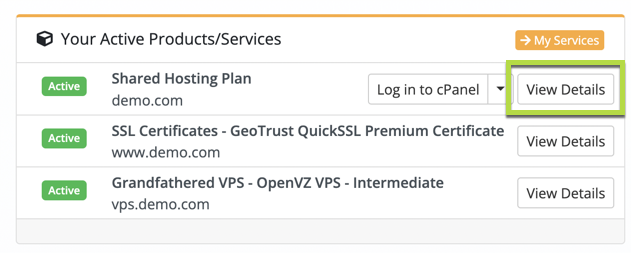
- Click on "View Details" next to the service for which you would like to reset the password.
- On the left side information under "Actions" you will see "Change Password".
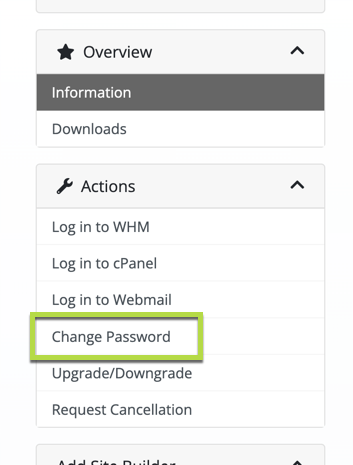
On the "Change Password" screen you will be able to enter a new password for your cPanel account. We strongly suggest that you use a strong and unique password that is not shared across any other services or websites.
If you wish to see your cPanel username you can see it as well by clicking "Login to cPanel" under "Actions" on the left side. Once logged in your username will be visible within the cPanel. Where it is displayed varies depending on the theme you have set. Generally you will find it under "General Information" -> "Current User". You can also see your username as the last part of your "Home Directory" for example "/home/your-username-here".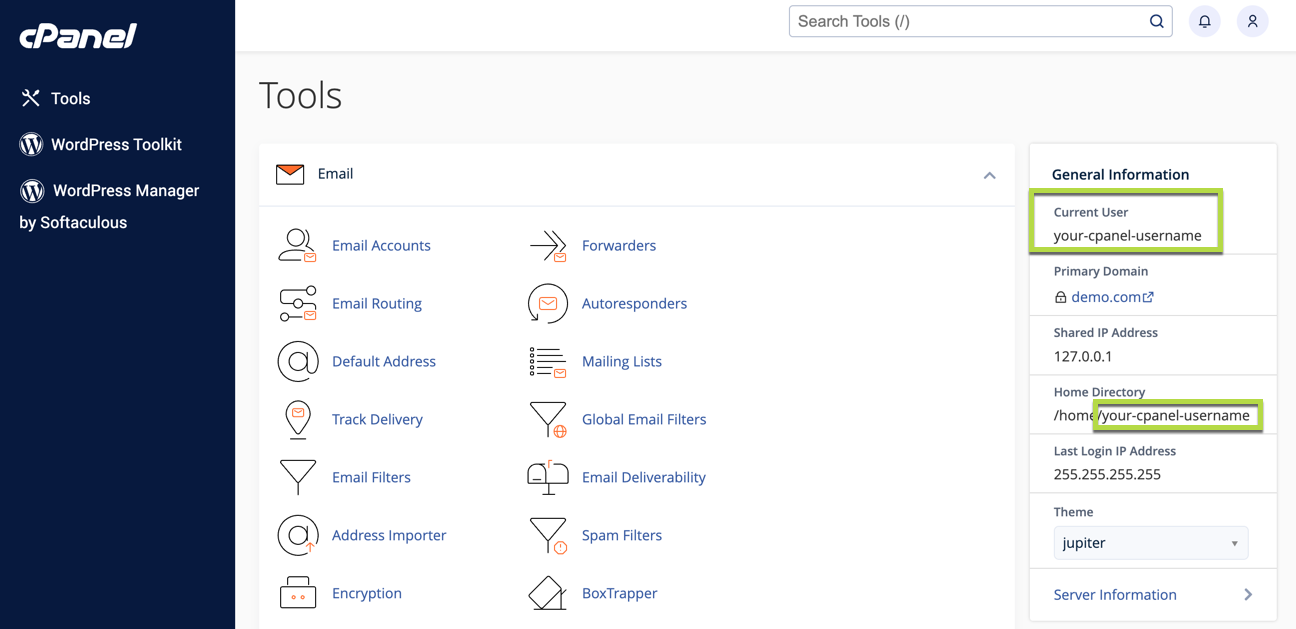
(Click to enlarge.)
If you have any problems logging in after resetting your password we recommend logging into your cPanel directly from the support system doing so will unblock you if you were blocked previously due to password failures. If you are still having issues please open a support ticket and we'll be happy to help.